


👋 This is a bonus edition of MKT1 newsletter with a recap of the MKT1 Buildathon on 4/3/26, including a full video replay. The MKT1 Buildathon was free for all attendees thanks to our partner Profound.
Upgrade to a paid subscription for: Full access to our new MKT1 MCP Server | 100+ templates & resources | Post to MKT1 Job Board | MKT1 Newsletter Archive
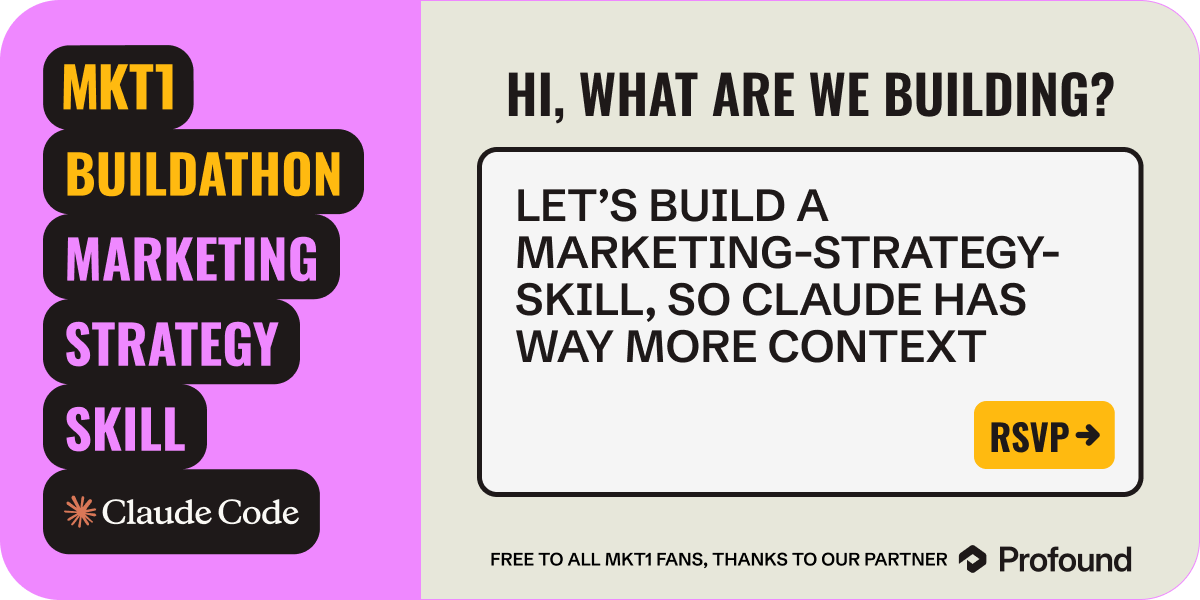
On 4/3, we hosted our first ever Buildathon focused on building a marketing-strategy skill that serves as a context layer for all marketing work you and your team do in Claude. The event helped people get started on the process described in detail in this newsletter, it may be useful to read it first.

Video recap
Below is the full video from our Buildathon, but first here are some links you’ll need to follow along:
Claude Desktop App. We’ll be building in Claude Code Desktop.
Join our Slack Waitlist
We’re launching a Slack just for talking about using Claude Code or Cowork and/or our MCP Server. It’s invite-only for paid subscribers using the MKT1 MCP Server users. Get on the list ➜
2 ways to build a marketing-strategy skill
If you’re building along with the recap video it’s important to note we cover 2 ways to build a marketing-strategy skill. Which path is right for you depends on 2 things: whether you're a paid MKT1 newsletter subscriber and whether you're on a paid Claude plan.
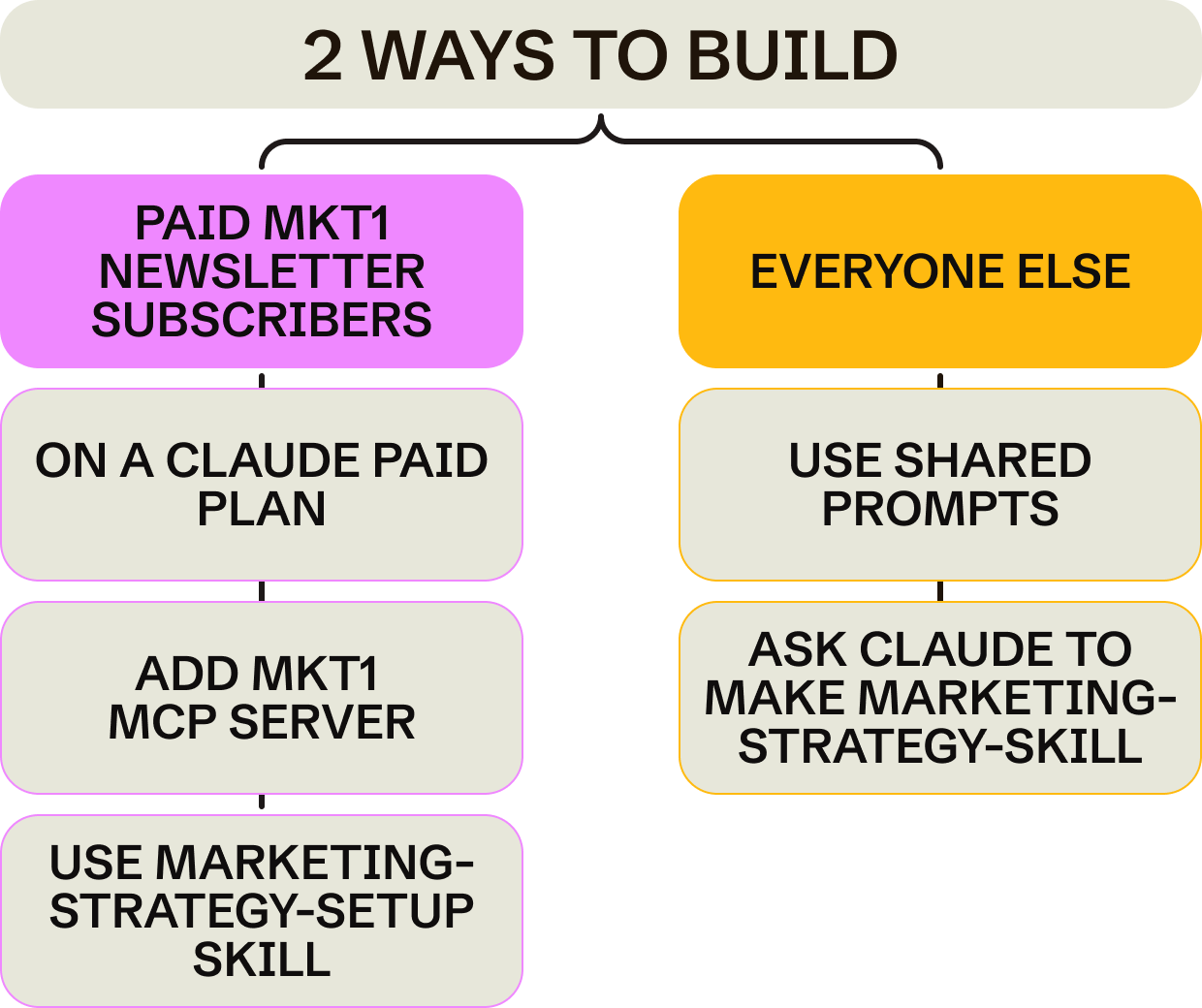
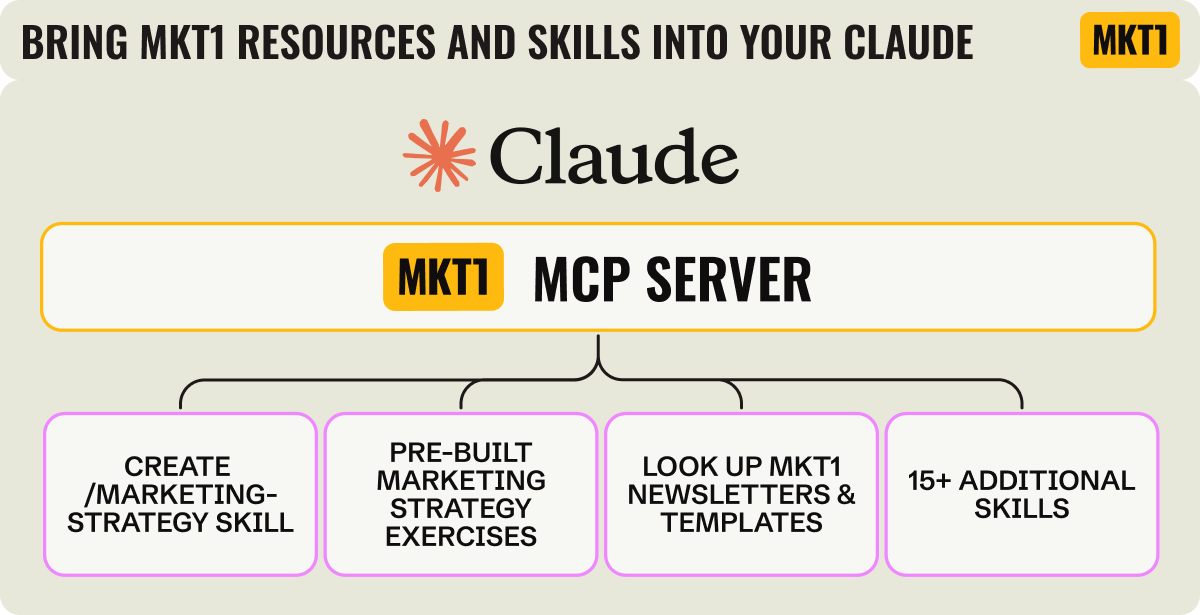
With the MKT1 MCP Server: The fast-track way to build a marketing-strategy skill and run all the strategy exercises to populate the skill. It requires the MKT1 MCP Server and a paid version of Claude (if you’re on an enterprise plan, you’ll need to ask your admin to enable it).
Without the MKT1 MCP Server, using shared prompts: The more manual path to building a marketing-strategy skill. Instead of the MCP server guiding you through structured exercises, you’ll work through a prompt list we’ve shared to build and populate the skill step by step. Takes more effort, but you end up with the same output. It requires a paid version of Claude (any plan works).
Either way, you end up with the same output: a marketing-strategy skill file, saved locally or to GitHub, that acts as a context layer for all your marketing work in Claude
Wait what’s an MCP Server?!
An MCP server connects an LLM to external tools, knowledge, and capabilities—in this case to MKT1 processes, content, skills, etc. Think of it like an integration or API that adds the MKT1 brain to Claude.
Buildathon FAQ
Getting up to speed on Claude
I’m new to Claude Code and unfamiliar with how Claude works overall. Where do I start? We have some newsletters that can help. We recommend reading What 4 Gen Marketers Are Building with Claude Code and How to build your marketing strategy in Claude. They cover how Claude Code, Chat, and Cowork differ, what skills are and how they work, and how to think about using Claude as a marketing team. That’s a good foundation before diving into the Buildathon video.
Why use Claude Code over Chat or Cowork? You can build skills in any of them and add skills to any of them. Claude Code is better for building and managing files, planning complex tasks, and doing more sophisticated work. It can also do everything Chat can do. It’s partly preference though. More takes on when to use each on LinkedIn here.
Does the MKT1 MCP server work the same in all three? Sort of. You can use it in Claude Code, Chat, or Cowork. The process just looks a little different visually.
Credits
How many credits does this use—and what does it cost? I’m the Claude Max plan ($100/month) and has only hit the limit once, during a week of intensive building where she created 15+ skills. For regular daily use, the Max plan typically covers it.
Does Claude Code use more credits than Chat or Cowork? It depends more on what you're doing than which interface you're in. Conversational tasks use relatively few credits. Agentic tasks (like browsing the web, interacting with other apps, or running multi-step automations) use significantly more.
Making skills as a consultant, agency, or multi-product company
How do I manage strategy skills for multiple companies or clients? Build a separate marketing-strategy skill for each company. Keep them in separate folders (or separate GitHub repos if you want them fully isolated). Be explicit with Claude about which skill you’re working on. Tell it the context upfront and it’ll keep things straight.
I’m a consultant or fractional marketer, should I build a skill for every client? Yes, one [company name]-marketing-strategy skill per client. You can also have a separate skill for your own frameworks and ways of working that you reference across all clients. For instance I have an MKT1-strategy skill and then marketing-strategy-skills for various advisees.
What if I have multiple products under one company with different ICPs and positioning? You can build one skill that covers all products or separate skills per product line. You can also build a strategy skill that spans all products and references individual strategy skills for each product. Basically, build skills that reference the others within the skill text.
Building the marketing-strategy skill
How do I validate what Claude puts in the skill? Always review what it produces before confirming. For things like TAM or market data, Claude may get things wrong—treat those as drafts to verify, not facts. Just ask Claude to show you what it added to the skill exaclty, check it against what you know, and correct it explicitly. Claude will update the skill accordingly. Remember the skill is just a file, so you can read the contents any time.
How do I keep the skill updated over time? Two ways. Set up a monthly reminder (you can do this via Claude Code or Claude Cowork scheduling feature or even connect Claude to Slack or your Calendar) to audit the skill. Just tell Claude what’s changed and have it update the file. Or do what I do: update it on the fly as you’re working and notice things that are wrong or dated. For larger teams, a scheduled check-in is smarter.
Can I connect execution skills (like SEO) into the marketing strategy skill? Yes, this is the whole point. Your CLAUDE.md points to the marketing strategy skill. The marketing-strategy skill can then reference other skills or files (like a target account list, a voice and tone guide, or an SEO skill). You’re building a stacked architecture where the strategy layer informs everything downstream.
Does this work for B2C or only B2B? The MCP server exercises are more B2B-focused, but the core concept of giving Claude a context layer with your strategy, goals, and who you target applies to any team. Adapt the exercises to fit your business model.
Team sharing
How do I share this with my team? GitHub is the best option as it tracks every change, so multiple people can update the skill and you always have a clear history of what changed and when. A Claude project with the skill added can work if your needs are simple, but as the skill grows and more teammates use it, you’ll want a central source of truth that’s built for this. More opinions on how to do this on this LinkedIn post »
Does everyone on my team need a shared Claude account? No. Everyone can have their own Claude account and access the same skills (or plugin, which is a collection of skills) from a shared GitHub repo.
Can I keep my GitHub repo private? Yes. Just tell Claude exactly what you are trying to do it and it will walk you through the full Github set up.
Troubleshooting
I’m having trouble setting up the MKT1 MCP Server, where do I start?
This newsletter covers the details and includes video walkthroughs »
A few common issues and fixes:
→ Can’t find the Connectors option: You need a paid Claude plan (Pro, Team, or Max). Go to Claude → Customize → Connectors → + → Add custom connector.
→ Connected but don’t see MKT1 tools: Set Tool permissions to “Always allow” on the MKT1 connector. If that doesn’t work, disconnect and reconnect to force a fresh load.
→ Showing as free but you’re a paid MKT1 subscriber: This is almost always an email mismatch. Use the exact email you use for MKT1 Newsletter Substack subscription. If you need to disconnect, reconnect, and re-enter the email that matches.
→ Just subscribed but still showing as free: Wait 2-3 minutes, then disconnect and reconnect to trigger a fresh status check. We’ve built a system for authenticating paid newsletter subscribers, but it does take a couple mins to update.
→ Claude isn’t pulling in MKT1 tools automatically: Set Tool permissions to “Always allow,” or start your message with “Using MKT1 MCP Server...” to point Claude in the right direction.
→ Auth issues in Claude Code CLI: Add it with --transport http — SSE transport won’t work with this endpoint.
→ I had the old MKT1 plugin installed: Uninstall it first (Customize → Browse plugins → MKT1 Gen Marketer → Uninstall), then add the MCP connector. Same skills, but they update automatically now with the MCP Server.
Thanks for your interest in our Buildathon. We hope it helps you successfully build a marketing-strategy skill that dramatically improves your work in Claude!
More from MKT1
🙏 Thanks again to Profound for sponsoring this Buildathon.
🗓️ Don’t miss the next event, get on the list for future Buildathons.
🏃♀️ Get on the waitlist for a custom MKT1 Claude Sprint, with Kramer, Halley, and your marketing team.